A calmer wattdo, and what your time is worth
A new design for the site and the extension, hourly rates with earnings, and time that adds up from your sessions.
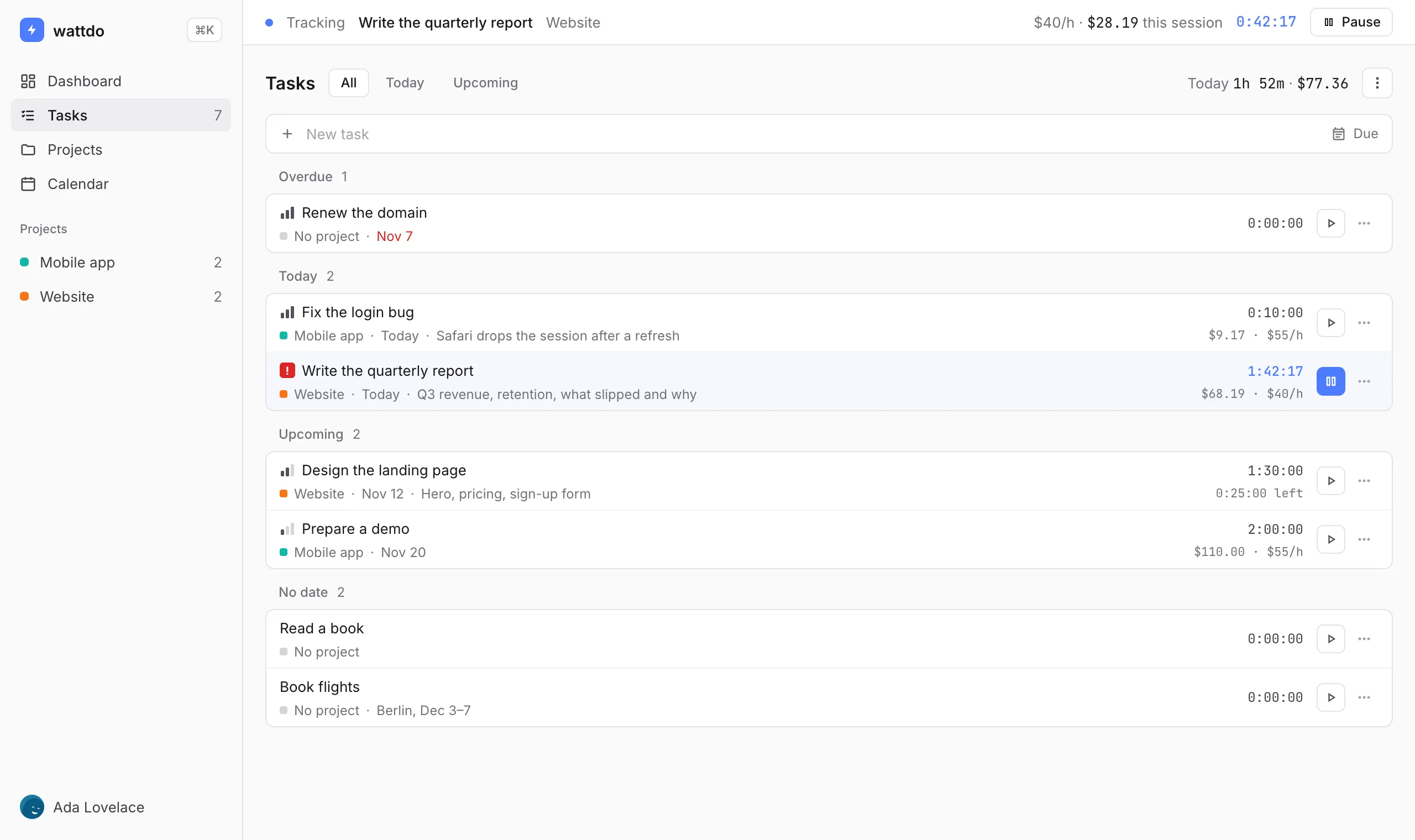
- A new, quieter design. The site and the extension share one look: less noise, denser lists, readable time. Dark theme included, and Settings can now follow your system theme.
- Hourly rates and earnings. Give a project its rate and currency; a task can set its own amount. Every task, project and session shows what the time is worth, and the bar at the top shows what the current session has earned.
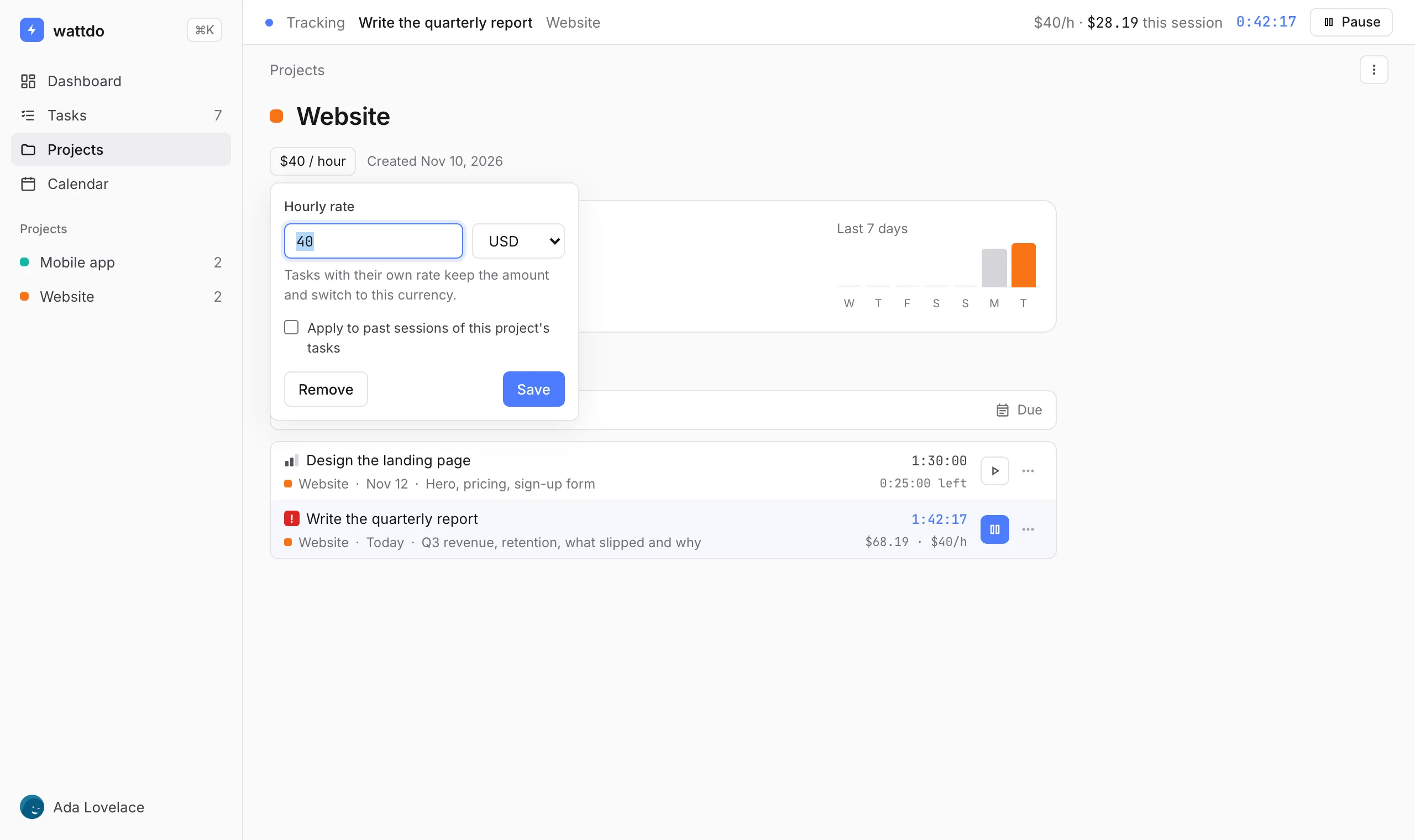
- Rates stay true to the past. Each session remembers the rate it was tracked at, so raising your rate in December doesn’t change November. When you change a rate, you can choose to apply it to past sessions.
- Tasks grouped by due date. Overdue, Today, Upcoming and No date, with filters for today and upcoming work, and today’s time and earnings at the top.
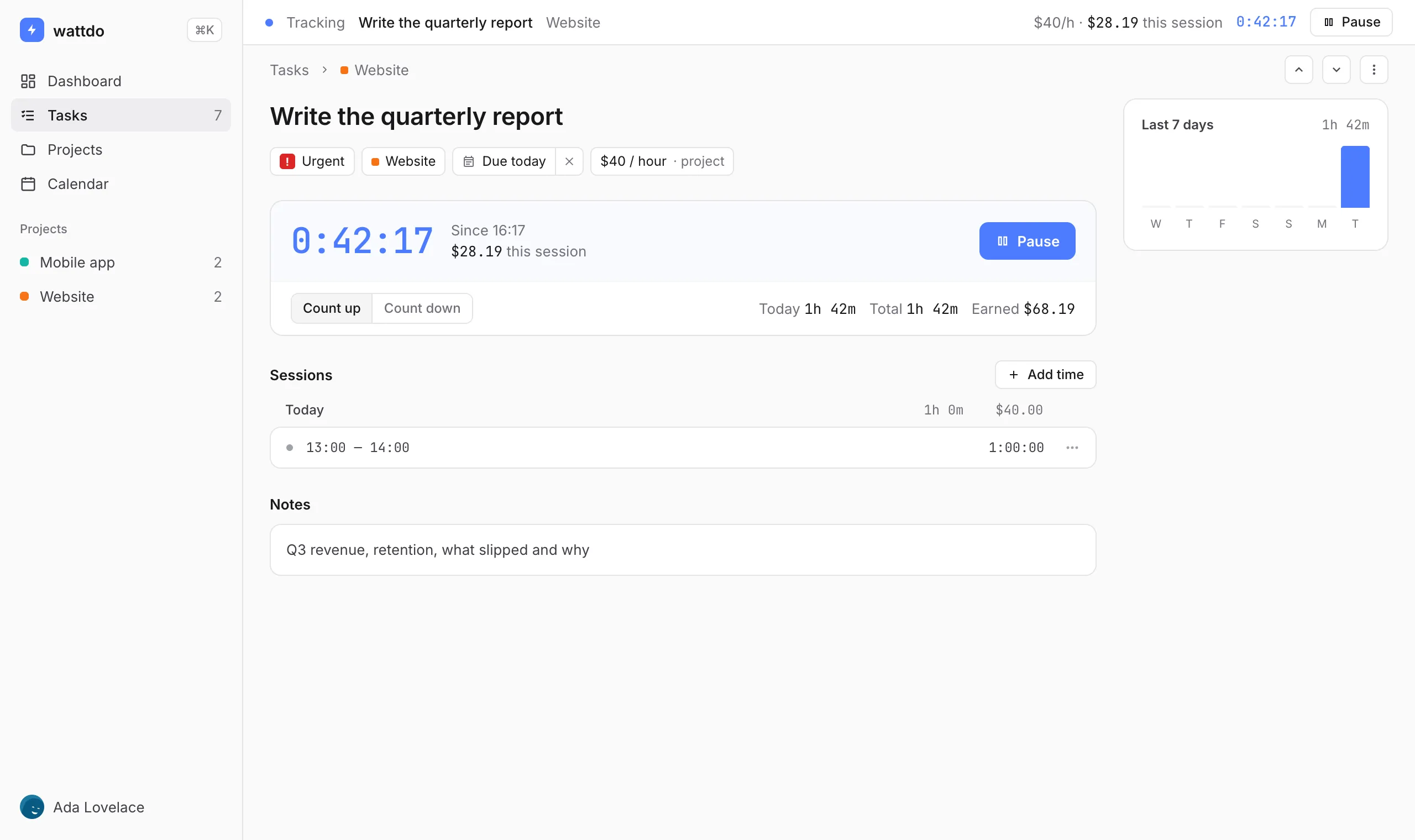
- A task page that shows everything. Priority, project, due date and rate in one row, a timer card with count up or count down, every session by day with edit and delete, the last 7 days and recent activity.
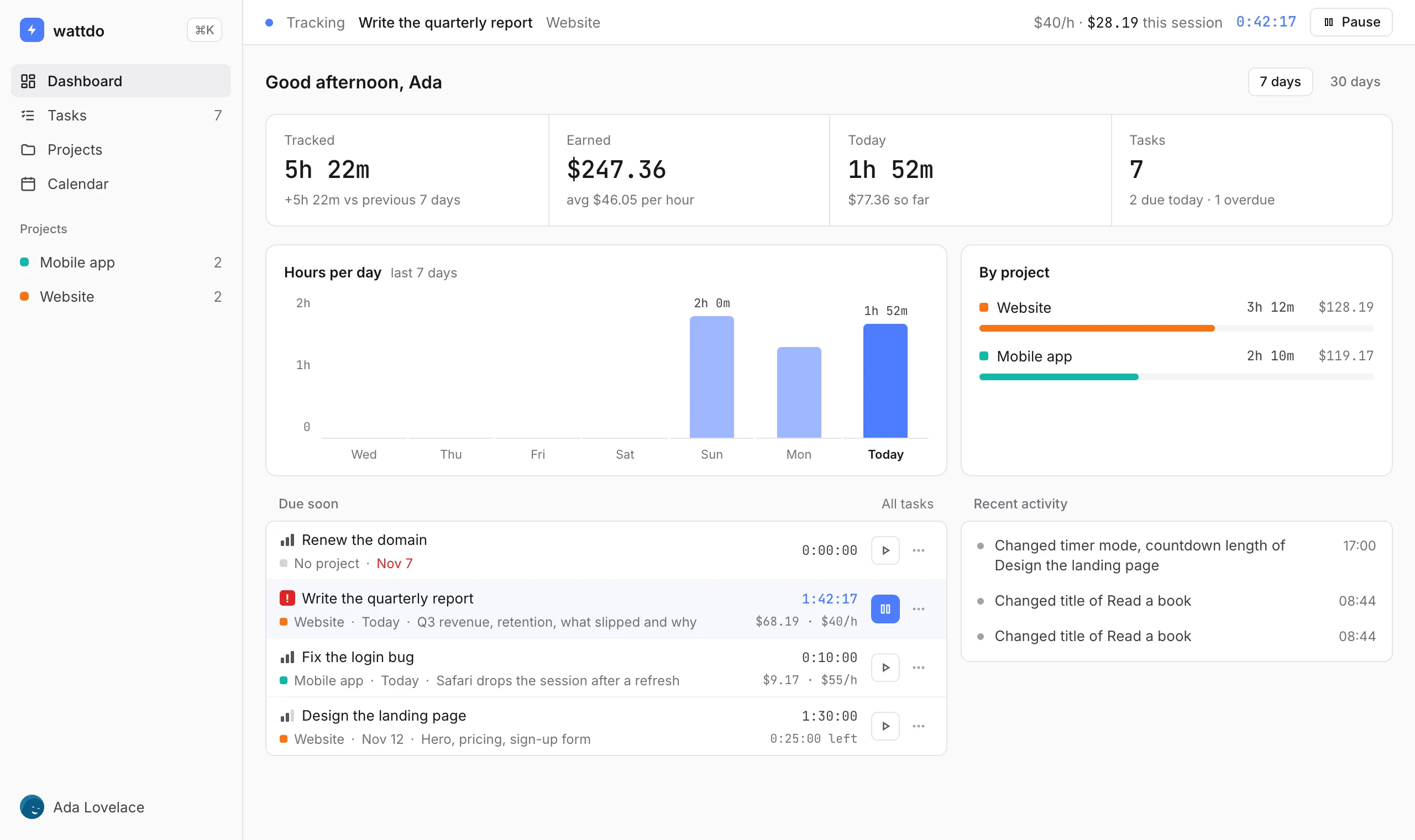
- A dashboard worth opening. Time tracked compared with the previous 7 or 30 days, earnings with your average per hour, hours per day, time by project, what’s due soon and recent activity.
- Time adds up from sessions. A task’s time is the sum of its sessions, everywhere. Time tracked before sessions existed is kept as one session, so nothing is lost.
- Your choice on parallel timers. Starting a task while another runs asks what to do. Changed your mind after “Don’t ask again”? It’s in Settings → Preferences.
- Bug fixes and improvements. Renaming a task right before clicking away no longer loses the change. Sign-up errors, like a taken email, are now shown. Passwords set in Settings work at sign-in even with a stray space.
The extension updates on its own. To get it right away, open chrome://extensions, turn on Developer mode and press Update.